The review window
Room to see the whole picture.
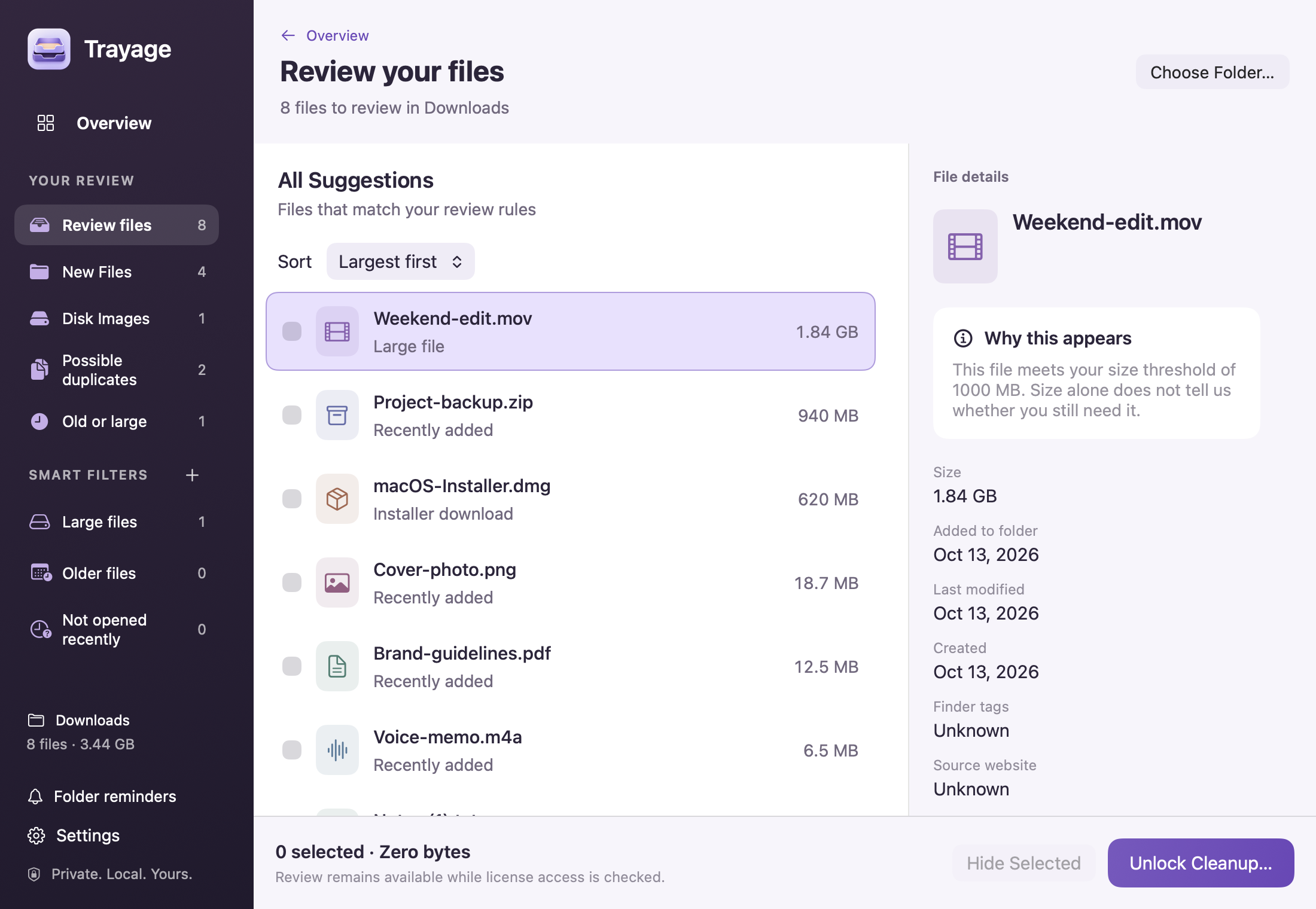
Browse your files, compare the details, and choose what stays. Everything together in one Mac window.

Trayage for Mac
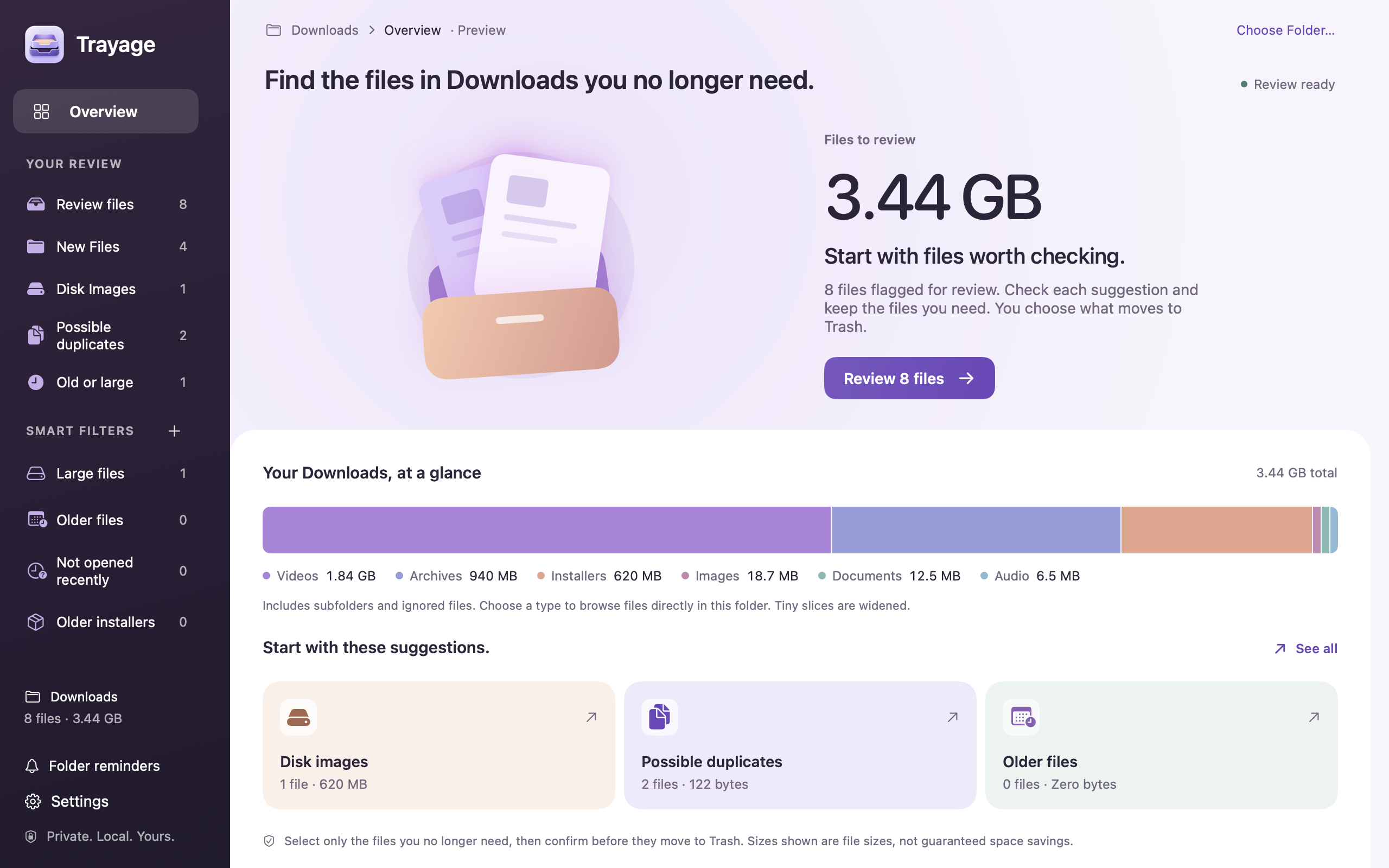
Find downloads you no longer need. Trayage groups files worth checking and explains why. You choose what moves to Trash.
Review free · 7-day cleanup trial
US$9.99 once. No subscription.
At home on your Mac
Check in from the menu bar, or settle into the full review window. Trayage fits the moment.
The review window
Browse your files, compare the details, and choose what stays. Everything together in one Mac window.
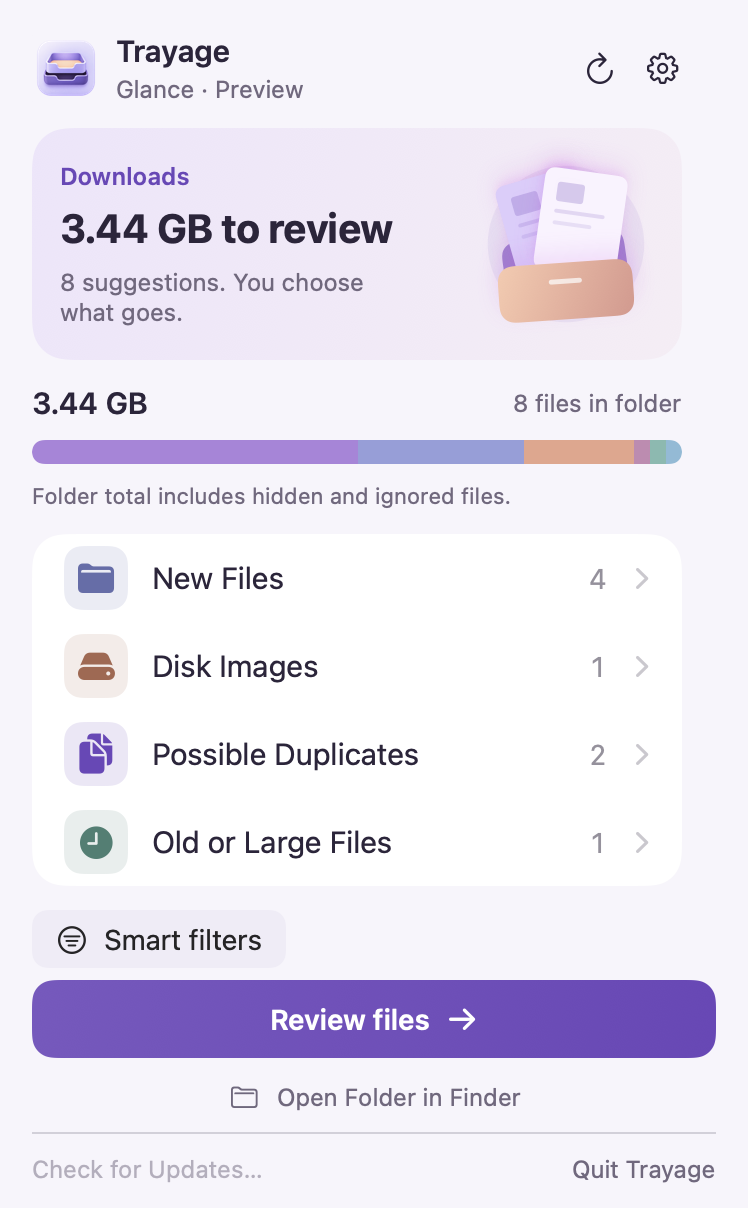
Menu bar · Glance
See your Downloads summary and file groups from the menu bar.
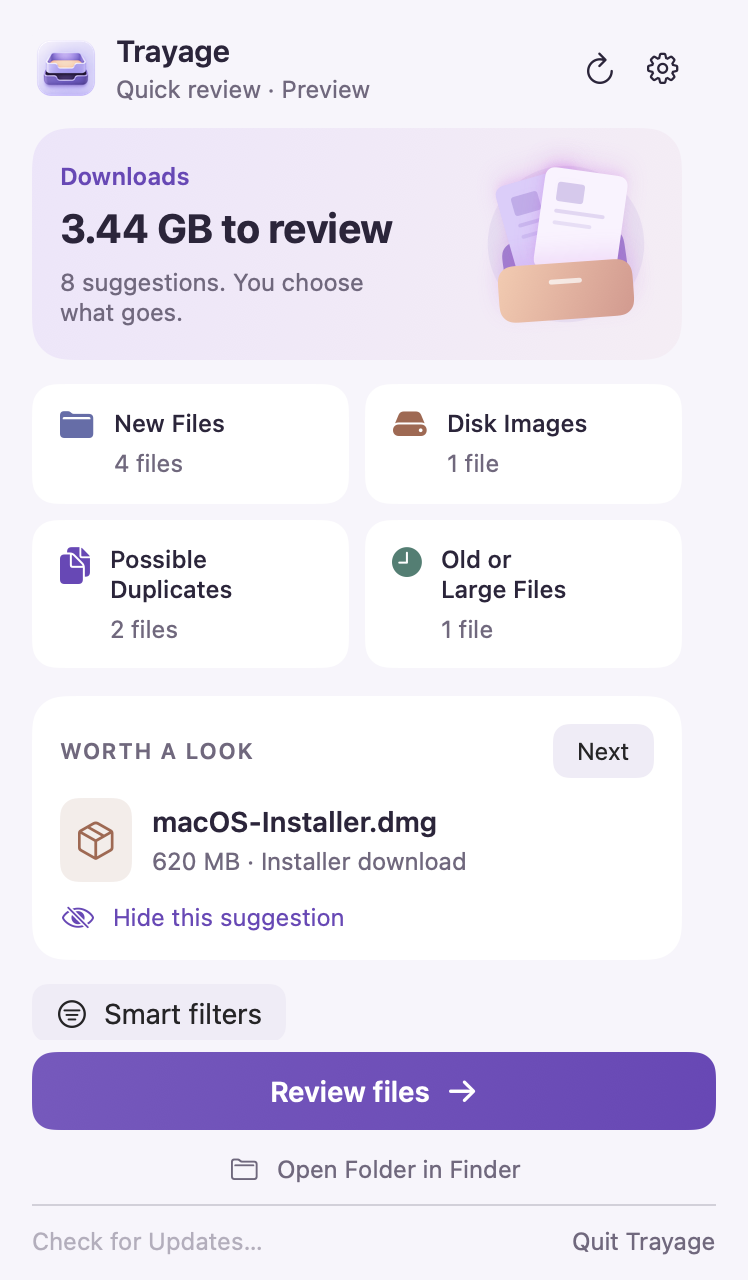
Menu bar · Quick Review
See a file worth checking, skip past it, or open the full review when you’re ready.
US$9.99 once
File review stays free. Try the 7-day cleanup trial with no automatic charge.
Direct license · Up to 3 Macs
All 1.x updates included
Optional paid major upgrades
A closer look
See the actual app in 45 seconds: inspect a file, check a possible duplicate, and confirm what moves. Watch whenever you want a closer look.
A starting point for Downloads. Trayage groups files worth checking into a review. You keep the final say.
An installer after setup. Trayage.dmg appears because a matching app appears installed. Check that you no longer need its disk image.
Possible extra downloads. Invoice.pdf and Invoice (1).pdf show matching contents after a SHA-256 content check in Trayage 1.1. Nothing is selected automatically. You decide which copy you need.
An older export. Summer project export.zip has not been modified for at least 30 days. Age is a reason to review it, not proof that it is unwanted. Hide this suggestion leaves the file in Downloads. The suggestion stays hidden until the file changes or you restore it in Review Settings.
Choose and confirm. Only the sample installer is selected. Move to Trash opens a confirmation naming that file. You can cancel. This walkthrough stops at the confirmation; it does not show a completed move.
Recoverable in Finder. You can recover the file before emptying the Trash. Trayage never empties the Trash. File review is free.
No. Choose your files, then confirm before they move to Trash. Trayage never empties the Trash.
Yes. File review is free. Try cleanup for 7 days with no automatic charge, then buy once if it helps. Requires macOS 14 or later.
For occasional cleanup, macOS Storage or Finder may be enough. Trayage brings files worth checking into one review and explains why each stands out.
Compare Mac cleanup optionsProduct news
How feedback about Trayage’s appearance and message led to a new violet identity, a new tray icon, and a closer look at the app itself.
Read the postProduct news
A new look, more ways to review Downloads, and a lower one-time price. File review stays free, with a seven-day cleanup trial and no automatic charge.
Read the postGuides
A simple end-of-week review for receipts, client files, repeated downloads, and installers. Keep what matters without trying to empty everything.
Read the postDownload the app, choose your Downloads folder, and check the first suggestion. File review is free.
Need help with your first review? Contact Trayage support.
Need a hand getting started? Visit support