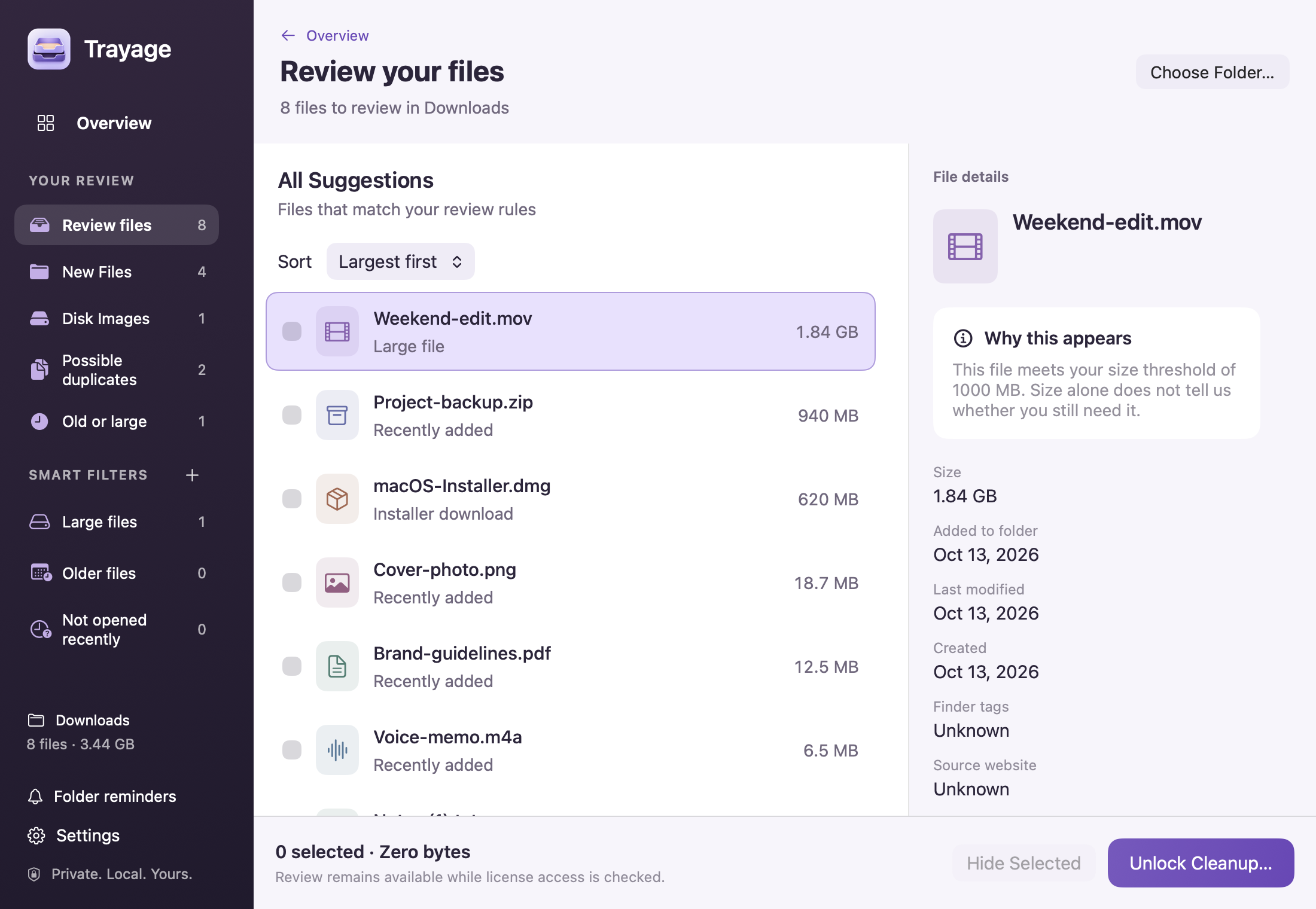
The review window
Room to see the whole picture.
Browse your files, compare the details, and choose what stays. Everything together in one Mac window.

Trayage for Mac
Find downloads you no longer need. Trayage groups files worth checking and explains why. You choose what moves to Trash.
Review free · 7-day cleanup trial
US$9.99 once. No subscription.
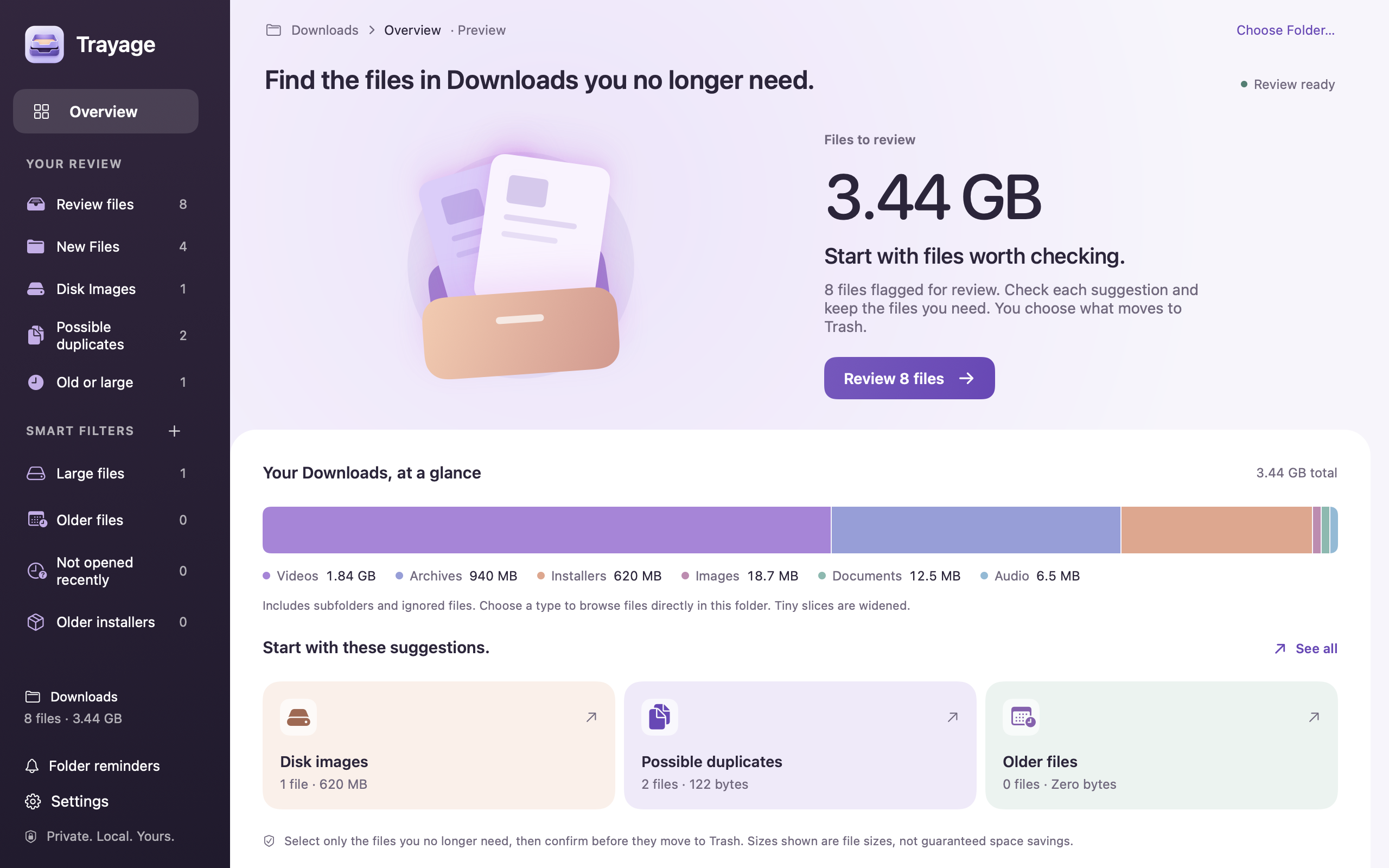
At home on your Mac
Check in from the menu bar, or settle into the full review window. Trayage fits the moment.
The review window
Browse your files, compare the details, and choose what stays. Everything together in one Mac window.
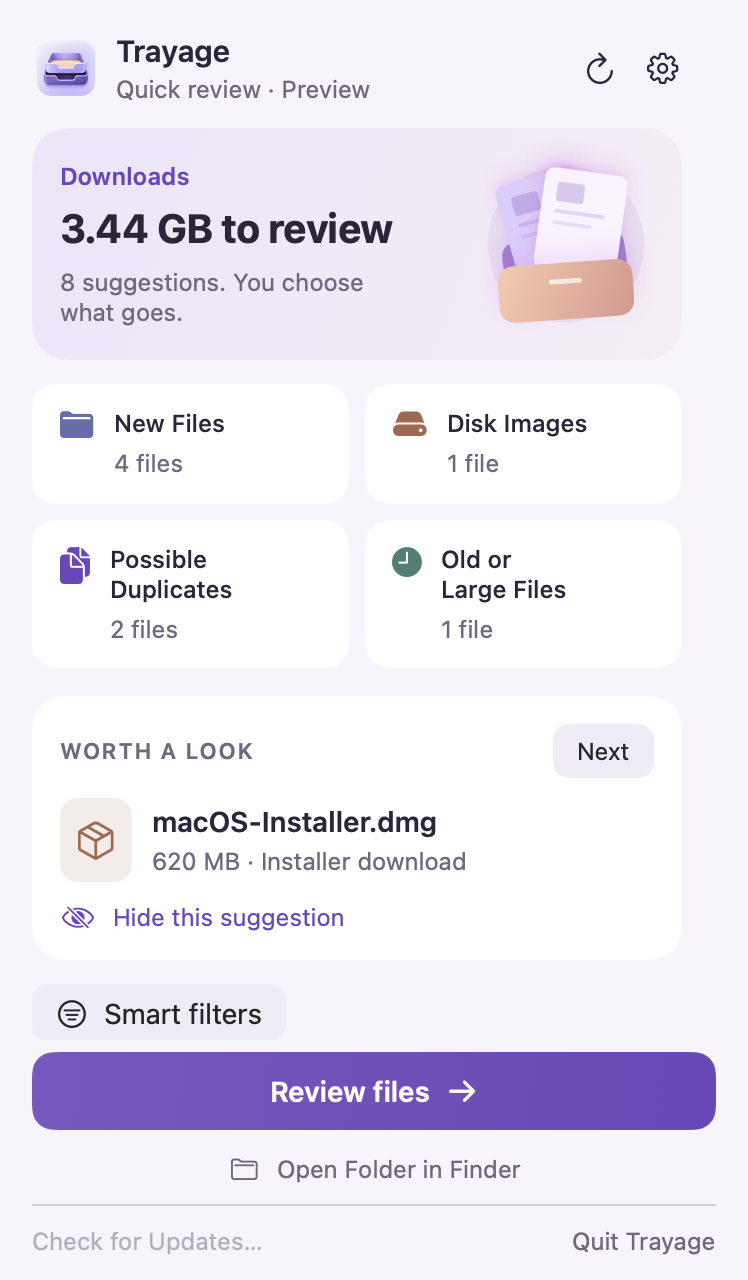
Menu bar · Glance
See your Downloads summary and file groups from the menu bar.
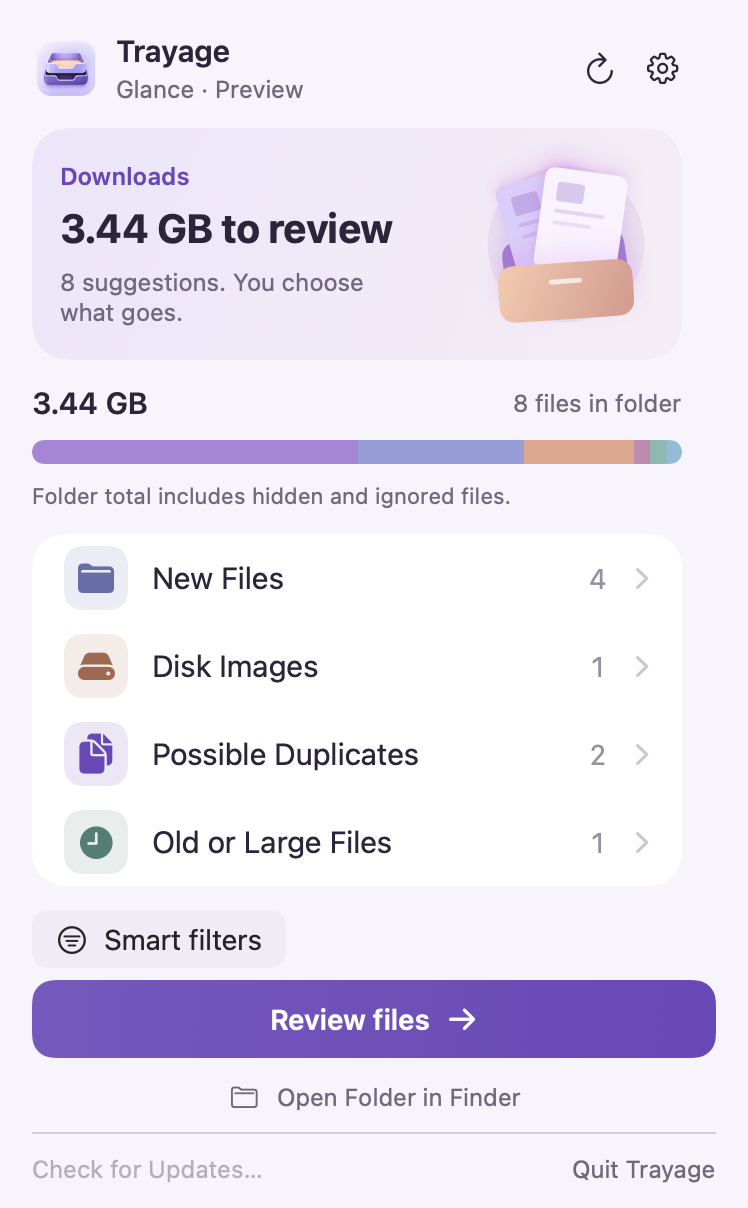
Menu bar · Quick Review
See a file worth checking, skip past it, or open the full review when you’re ready.
US$9.99 once
File review stays free. Try the 7-day cleanup trial with no automatic charge.
Direct license · Up to 3 Macs
All 1.x updates included
Optional paid major upgrades
A closer look
Get to know Trayage in 38 seconds: glance from the menu bar, inspect installers and possible duplicates, hide suggestions, and confirm your selection.
Give Downloads a second look. Installers. Possible duplicates. Older files. A clear place to start your review. You choose what stays.
A quick look. A closer look. See your Downloads summary. Browse one suggestion at a time, right from the menu bar. Open the full review when you’re ready.
Installed it? Check the installer. A matching app appears installed. Check whether you still need its disk image. A useful reason to review the file.
Same contents. Your choice. SHA-256 content checks identify matching downloads. Compare the copies and decide which to keep. Nothing is selected automatically.
Old export. Still useful? Find files you haven’t modified in a while. Check the details before deciding. Age alone doesn’t make a file unwanted.
Keep the file. Clear the suggestion. Hide a suggestion to leave its file in Downloads. It stays hidden until the file changes or you restore it. Restore suggestions in Review Settings.
Your files. Your call. Select only what you no longer need. Move to Trash opens a confirmation for your selection. A suggestion never moves a file.
One last look. Then decide. Check the selected filename. Confirm when you’re ready, or cancel and keep reviewing. Demo ends here, before a file moves.
Less clutter. More control. File review is free. Start at trayage.app. Recover files before emptying Trash. Trayage never empties it.
Make it fit your day
See a Downloads review for the work you do.
No. Choose your files, then confirm before they move to Trash. Trayage never empties the Trash.
Yes. File review is free. Try cleanup for 7 days with no automatic charge, then buy once if it helps. Requires macOS 14 or later.
For occasional cleanup, macOS Storage or Finder may be enough. Trayage brings files worth checking into one review and explains why each stands out.
Compare Mac cleanup optionsGuides
Set a folder-size reminder in Trayage, choose a useful threshold, and review Downloads when it grows. You confirm anything moved to Trash.
Read the postGuides
Check whether a ZIP archive is an original, an already-extracted copy or a file you still need. Use Finder and Trayage to make review-first decisions.
Read the postProduct news
Trayage is nominated for Best Utility, Best Free App, Best Pay-Once App, and Hidden Gem. Vote free in each category by December 20.
Read the postDownload the app, choose your Downloads folder, and check the first suggestion. File review is free.
Need help with your first review? Contact Trayage support.
Need a hand getting started? Visit support