An installer you used last month. Several similarly named PDFs. A large archive you meant to come back to. Downloads collects files faster than most of us make decisions about them.
Trayage 1.0 is available as a direct download for Mac. It brings those files into a focused review, helps you see why each one stands out, and lets you choose what should stay.
A closer look before cleanup
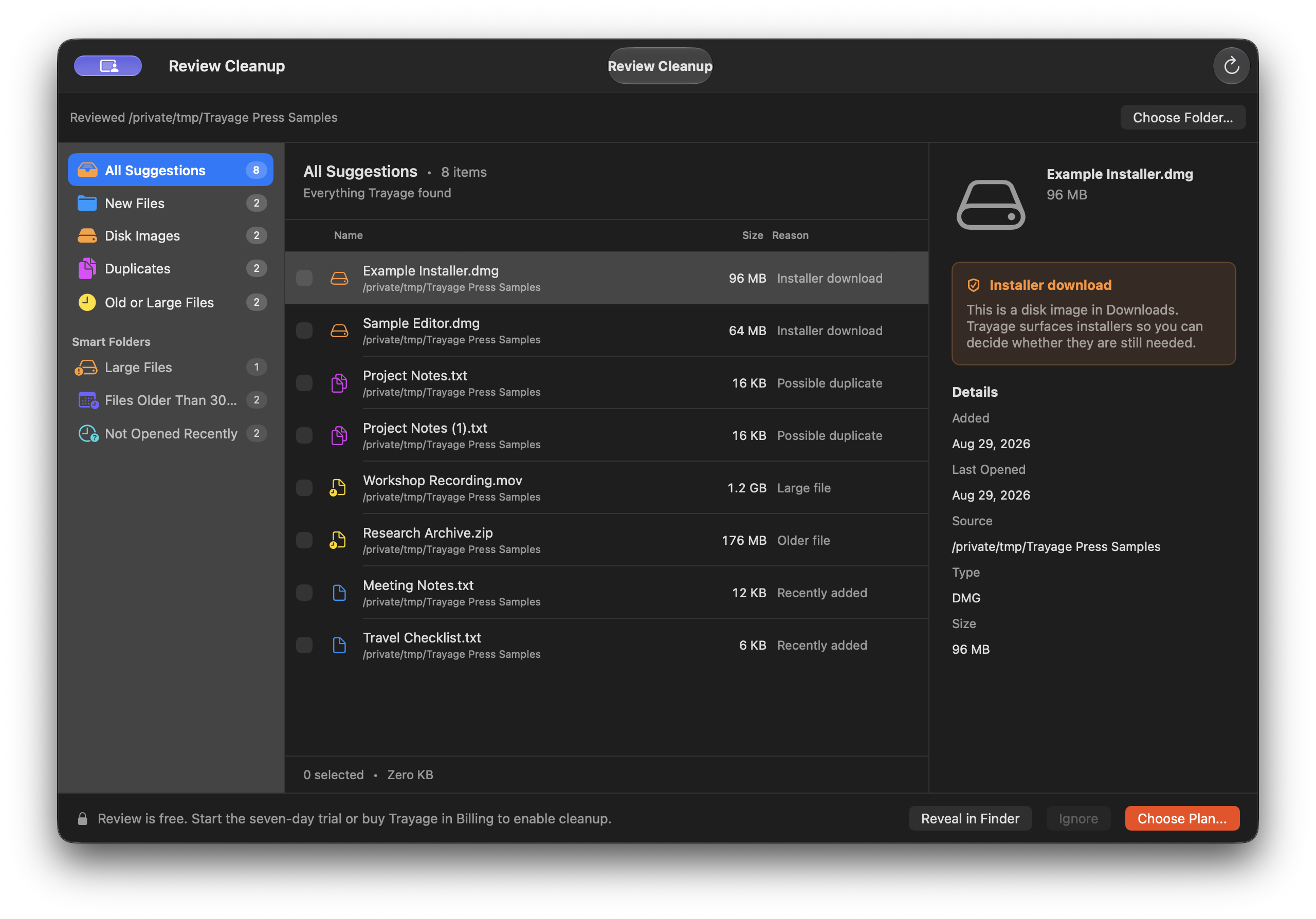
Trayage lives in the menu bar, with a full review window when you want more room. Choose Downloads or another folder, then browse the top-level files in that folder.
The review brings together a few useful signals:
- Disk images and installers: including a check for a similarly named app in Applications.
- Likely duplicates: candidates identified by normalized filename and file size. Their contents have not been compared.
- Old or large files: a starting point for deciding what still matters.
- Recent downloads: the files you may still be working with.
Each suggestion leaves the decision with you. A similar app name does not prove an installer is no longer needed, and two files with the same size do not necessarily contain the same information. You can inspect file details and reveal a file in Finder before making a choice.
You choose what moves to Trash
Select the files you want to remove and review the confirmation before cleanup. Trayage rechecks that selected files are unchanged before moving them to Trash, and it never empties the Trash.
File analysis runs locally on your Mac. The direct edition connects to licensing services for activation and access checks; purchases use a hosted checkout. The privacy policy explains those connections.
Updates from inside the direct app
The current direct release includes a built-in update checker. “Check for Updates” is available from the Trayage menu, menu-bar popover, General settings, and About. Optional automatic checks run daily while the app is open, and you decide when to download and install an update.
If you have an earlier build without an update checker, the download page explains the one-time manual update. The changelog has the release-by-release details.
Try Trayage on your Mac
The direct edition supports Apple silicon and Intel Macs running macOS 14 or later. It offers a 7-day cleanup trial with no automatic charge when it ends. You can still review files after the trial; cleanup requires a purchase.
A direct license is a one-time US$29.99 purchase for up to 3 active Macs, including all Trayage 1.x updates. Future major upgrades are optional. Check the download page for current availability and the separate Mac App Store edition’s status.
For a first session, start with our guide to reviewing Downloads. If you have an idea or find something that needs attention, the support page has ways to get in touch with Kyle, and the roadmap shows accepted improvements taking shape.
A thoughtful second look
Meet your Downloads.
With a little help.
Trayage brings installers, likely duplicates, and old or large files together for your review. File analysis stays on your Mac. You choose what moves to Trash.
Get Trayage


