Trayage 1.0 is now available on the Mac App Store. If you prefer getting your Mac apps through Apple, you can download Trayage there and give your Downloads folder a second look.
This is a new way to get Trayage alongside the existing direct download. The idea is the same: see what has accumulated, decide what you still need, and confirm before anything moves to Trash.
Find downloads worth checking
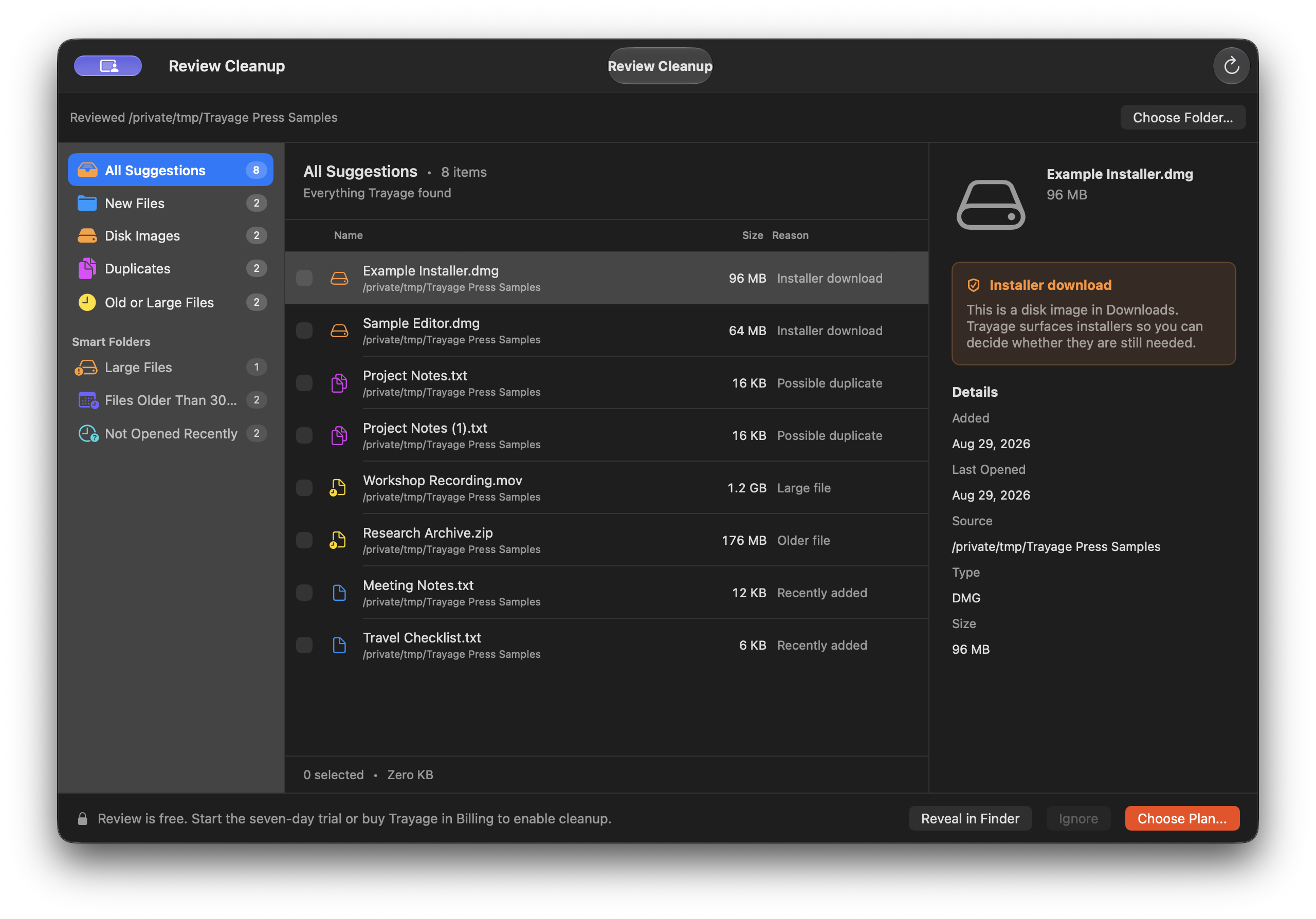
Old installers, repeated downloads, and large files are easy to forget about. Trayage brings them into a review window you can open from the Mac menu bar.
Choose Downloads or another folder. Browse installer disk images, possible duplicates, older or larger files, and recent downloads. Inspect each file's details and the reason it appeared before deciding what to keep.
Possible duplicates are based on filename and size patterns. Their contents are not compared, so these are suggestions to check rather than proof that two files are identical.
You decide what goes
Nothing is removed automatically. Select the files you no longer need, then confirm the move to Trash. Trayage checks whether a file changed after the scan and leaves changed files in place for another review.
Trayage never empties the Trash. You can recover files through Finder before emptying it yourself. File review happens locally on your Mac; Trayage does not upload file names or contents.
Free review and optional cleanup
File review is free. Start the optional 7-day Trial to try cleanup, then choose a separate one-time in-app purchase if you want to keep cleanup unlocked.
The trial does not renew or charge you automatically. When it ends, review remains available. Restoring purchases or reinstalling does not restart the trial.
All v1 updates are included with the purchase. Your purchased cleanup features stay unlocked after app updates, and future major upgrades are optional. Apple handles purchases for the Mac App Store edition, with Restore Purchases in Settings > Billing.
Get Trayage
Trayage supports Macs running macOS 14 or later. Get Trayage on the Mac App Store, or visit the download page for the direct edition and current availability. The two editions have separate purchase paths.
If you are trying Trayage for the first time, start with a few files you recognize. The Downloads review guide walks through a practical first pass.
Questions or feedback about your first review? Contact Trayage support.
— Kyle Reddoch, maker of Trayage
Find downloads
worth checking.
Trayage flags installers, likely duplicates, and large or older files with a reason for each suggestion. Download the Mac app and review your files free. Cleanup has a 7-day trial with no automatic charge. You confirm what moves to Trash.
Try Trayage for Mac